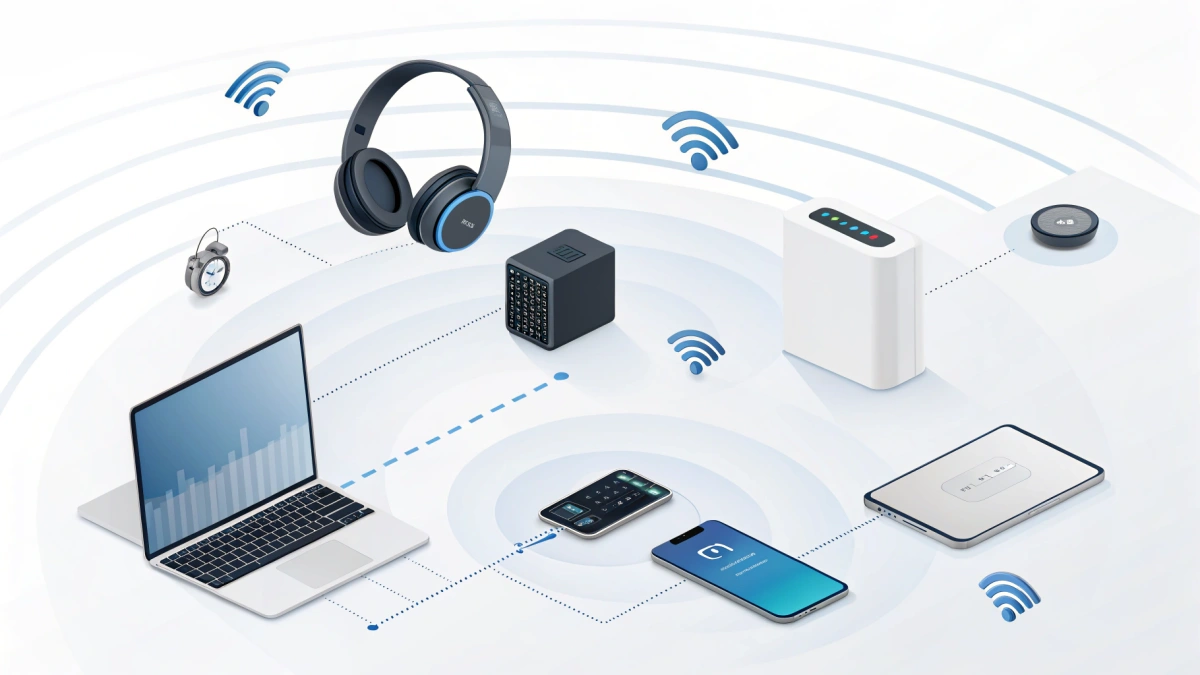
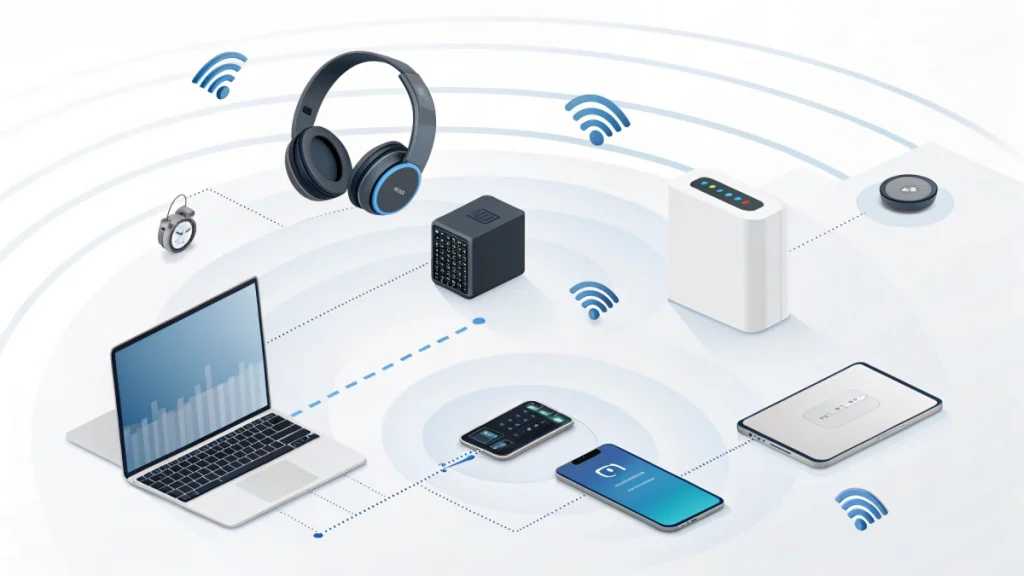
Bluetooth is a short-range wireless communication standard that uses low-power radio waves to exchange data between nearby devices—no cables required. It’s the invisible link behind everyday conveniences like wireless headphones, keyboards, speakers, fitness trackers, car infotainment systems, and countless smart home gadgets.
What makes Bluetooth especially practical is that it operates in the globally unlicensed 2.4 GHz ISM band1 , so devices can connect directly to each other without relying on network infrastructure like routers or access points.
In this article, you’ll learn what Bluetooth is, how Bluetooth actually works under the hood, why there are two major variants (Bluetooth Classic and Bluetooth Low Energy), how pairing and security keys fit into the picture, and how to choose, set up, and troubleshoot Bluetooth devices with confidence.
1) What Is Bluetooth? Definition, Context, and Why It Matters
Bluetooth is best understood as a standard—a set of rules that manufacturers follow so devices from different brands can communicate reliably (as defined by the Bluetooth Core Specification 2). When your phone streams music to earbuds or your laptop connects to a mouse, Bluetooth is handling discovery, connection setup, security, and data transfer behind the scenes.
Bluetooth in one sentence
Bluetooth is a short-range wireless technology that replaces short cables by letting nearby devices exchange data over low-power radio signals.
Why it’s so widely used
Bluetooth became a default choice for personal connectivity because it balances four things unusually well:
- Convenience: quick setup, automatic reconnection, minimal user configuration
- Compatibility: it’s built into nearly every phone and laptop, and most accessories
- Efficiency: especially with Bluetooth Low Energy (BLE), devices can run for long periods on small batteries
- Versatility: it supports many device behaviors through standardized “profiles” and services
Bluetooth doesn’t require a router, doesn’t need an internet connection, and doesn’t depend on a shared network. It’s designed for direct, local links—a “personal area network” style of connectivity.
The two main variants: Classic and Low Energy
Bluetooth is not one single mode. The two major variants are:
- Bluetooth Classic (BR/EDR) 3[^4]: built for more continuous data use, including many audio use cases and persistent connections.
- Bluetooth Low Energy (LE / BLE)4 [^5]: optimized for low power and short, bursty exchanges—ideal for sensors, wearables, beacons, and many IoT devices.
A simple mental model helps:
- Classic is great for steady streaming (like music).
- BLE is great for quick check-ins (like heart rate updates).
2) How Bluetooth Works: Radio, Channels, and Frequency Hopping
At its core, Bluetooth sends data using radio waves in the 2.4 GHz ISM band—a globally available (unlicensed, though regulated) frequency range used by many consumer technologies.
Because this band is shared with other devices (including Wi-Fi and many household gadgets), Bluetooth must be resilient in noisy conditions. One of its key techniques is frequency hopping spread spectrum (FHSS) 5[^3]—rapidly switching among channels during a connection to reduce interference and improve reliability.
Channels and packets (why Bluetooth “moves around”)
Bluetooth breaks information into packets and transmits those packets over specific radio channels.
- Classic Bluetooth divides the band into 79 channels, each 1 MHz wide.
- Bluetooth Low Energy uses a different channel plan (often described as 40 channels with wider spacing), optimized for low energy and efficient discovery.
You don’t need to memorize channel counts to use Bluetooth well—but it’s useful to know this: Bluetooth is designed to share the air. It expects interference and tries to route around it.
Frequency hopping: the “anti-interference” superpower
FHSS works like this:
- Two connected devices agree on a hopping pattern.
- They rapidly switch among channels while sending packets.
- If some channels are noisy (because of Wi-Fi traffic, microwaves, or other Bluetooth links), hopping helps avoid getting stuck on a bad frequency.
This is one reason Bluetooth often works surprisingly well in everyday environments. It’s also why you can see unstable behavior in extremely crowded radio spaces—Bluetooth is robust, but it’s still competing for shared spectrum.
3) Discovery, Pairing, and Security: How Devices Find and Trust Each Other
Bluetooth connections commonly require pairing, a process where devices discover each other, authenticate, and establish shared security keys so future reconnections are quicker.
Many Bluetooth frustrations come from mixing up three related concepts:
- Discovery: devices find each other (you see the accessory in the Bluetooth list)
- Pairing: devices establish trust and generate shared security material
- Connecting: the actual link opens so data can flow
Discovery: “I’m here”
In Bluetooth Low Energy, discovery often starts with advertising and scanning:
- A peripheral (like a wearable) advertises small packets announcing its presence.
- A central device (like a phone) scans for those advertisements.
BLE uses three primary advertising channels—37, 38, and 396 [^6]—designed specifically for discoverability and coexistence in the 2.4 GHz band.
That little “Now discoverable” moment when you hold a button on earbuds? You’re usually enabling a mode where the device advertises in a way that makes it easier for your phone to detect it quickly.
Pairing: “Can I trust you?”
Pairing typically involves:
- agreeing on a method of authentication (sometimes a code, sometimes “just works” depending on device capabilities),
- generating shared keys,
- and setting up encryption for privacy.
Once paired, devices can authenticate each other and encrypt future sessions, which is why reconnections can feel nearly instant—your phone and earbuds aren’t “meeting” again; they’re recognizing each other.
Bonding: “Remember me next time”
Bonding is when pairing information is stored, allowing faster reconnections later. If you’ve ever had to “Forget device” and re-pair, it’s usually because the saved relationship (bond) became inconsistent—often after OS updates, accessory firmware changes, or failed pairing attempts.
Practical tip: If Bluetooth repeatedly fails after it once worked, “Forget device” + re-pairing cleanly is often more effective than toggling random settings.
4) Bluetooth Networks: Piconets and Scatternets (and Why They Matter)
Bluetooth devices can form a piconet, where one device coordinates communication with multiple others. Traditionally, this is described as one master/central coordinating multiple slaves/peripherals.
What a piconet means in real life
Think of your phone as the coordinator for a small cluster of accessories:
- phone ↔ earbuds
- phone ↔ smartwatch
- phone ↔ car system
- phone ↔ keyboard
Each relationship has its own timing, power constraints, and radio conditions. As you add more connected devices, your phone’s Bluetooth stack (and radio time) gets busier.
Scatternets: linking multiple piconets
A scatternet is a more complex idea where devices participate across multiple piconets, effectively linking them. In everyday consumer usage, you don’t usually need to think about scatternets directly—but the concept helps explain why “shared devices” (like hubs, phones, or certain gateways) can become the coordination point for multiple Bluetooth relationships.
The practical takeaway is simple: Bluetooth is great for small, local clusters, but performance depends on the coordinator’s radio time, device quality, and the local interference environment.
5) Bluetooth Low Energy Details That Explain Battery Life and Responsiveness
BLE is where Bluetooth becomes especially interesting, because it’s engineered around one big question: How can a device spend most of its time asleep and still feel connected?
BLE introduces several configurable timing parameters. These parameters trade off discovery speed, responsiveness, throughput, and battery life.
Advertising interval: discovery speed vs battery life
The advertising interval is how often a BLE device broadcasts its presence.
- BLE advertising interval can be configured from 20 ms up to 10.24 s.
A shorter interval means:
- faster discovery,
- smoother onboarding,
- but more battery consumption.
A longer interval means:
- slower discovery (you might wait longer for a device to appear),
- but excellent battery savings.
This is why some sensors take a moment to show up—they’re intentionally advertising less frequently to preserve battery life.
Connection interval: responsiveness vs power
Once connected, BLE devices often communicate on a schedule. The connection interval defines how often the connected devices exchange packets.
- BLE connection interval can range from 7.5 ms to 4 s.
Shorter intervals:
- lower latency,
- more responsiveness (useful for interactive devices),
- but higher power consumption.
Longer intervals:
- better battery life,
- but more lag between updates (fine for slow-changing sensors).
This one setting alone explains why some wearables feel “always live” while others sync in chunks.
Supervision timeout: how long before a link is considered lost
The supervision timeout defines how long a BLE connection can go without successfully receiving packets before it’s considered lost.
- BLE supervision timeout typically ranges from 100 ms to 32 s.
A shorter timeout can detect disconnections quickly (nice for responsiveness), but might drop more easily in noisy environments. A longer timeout can tolerate brief interference, but may take longer to notice a truly lost connection.
Together, advertising interval + connection interval + supervision timeout shape the feel of BLE products: how quickly they appear, how “snappy” they are when connected, and how tolerant they are of brief radio hiccups.
6) Bluetooth in Everyday Use: Profiles, Audio Behavior, and Why Experiences Differ
If you’ve ever wondered why one pair of Bluetooth headphones works flawlessly while another is constantly glitchy, it helps to know that Bluetooth devices don’t all behave the same. They rely on:
- different profiles (feature sets for specific use cases),
- different radio/antenna designs,
- and different software implementations.
Profiles: Bluetooth’s “feature contracts”
A Bluetooth profile is basically a standardized way to do a particular job (the spec definition lives in the Generic Access Profile (GAP)7 [^7]). Two devices can both have “Bluetooth,” but if they don’t support the same profiles well, features can be missing or unreliable.
Common profile-driven behaviors include:
- audio playback and control,
- phone calls and microphone routing,
- keyboard and mouse input,
- device management and data exchange.
From a user perspective, this explains a lot:
- “It connects, but the mic doesn’t work.”
- “It plays music, but call quality is terrible.”
- “It pairs, but it won’t reconnect automatically.”
Often, the device is connected—but the wrong profile is active, or the system switches profiles depending on whether you’re in a call, a meeting app, or media playback.
Why Bluetooth audio can lag
Bluetooth audio latency often comes from:
- encoding/decoding time,
- buffering to prevent stutter,
- and OS-level audio routing decisions.
That’s why:
- videos may look synced (the system compensates),
- but games feel delayed (harder to compensate),
- and calls can sound different than music (different processing paths and priorities).
A simple rule of thumb:
If latency matters (competitive gaming, instruments), consider wired audio or specialized low-latency wireless solutions.
If convenience matters (commuting, calls), Bluetooth is usually the best everyday tool.
7) Benefits, Limitations, and Common Myths
Bluetooth is incredibly useful—but it works best when you use it for what it’s designed to do.
Benefits (where Bluetooth shines)
Bluetooth is a great choice when you need:
- quick, local connections without a router,
- low-power accessories (especially BLE),
- broad device compatibility,
- and support for many everyday peripherals.
Limitations (what Bluetooth is not)
Bluetooth can struggle with:
- longer distances or heavy obstacles (walls, bodies, metal),
- highly congested wireless environments,
- use cases requiring extremely low latency or very high throughput,
- “whole-home networking” needs that Wi-Fi handles better.
Myths to drop immediately
Myth: “Newer Bluetooth version = always better.”
Reality: compatibility depends on what both devices support and how well each implements the spec. An older device with excellent antenna and software can outperform a newer-but-cheaper accessory.
Myth: “Bluetooth either works or it doesn’t.”
Reality: Bluetooth performance is a spectrum shaped by radio conditions, device design, and timing settings—especially in BLE.
Myth: “Bluetooth always kills battery.”
Reality: BLE exists specifically to make battery-powered connectivity practical, and timing settings heavily influence consumption.
8) Choosing, Setting Up, and Troubleshooting Bluetooth: Best Practices That Actually Work
Bluetooth problems are usually solvable—especially if you troubleshoot in the right order.
A buyer’s checklist (what to look for before you buy)
Before purchasing Bluetooth accessories, match the device to your real situation:
- Your primary use case
- music and commuting
- calls and meetings
- gaming and low latency expectations
- keyboard/mouse productivity
- wearables and sensor reliability
- Your ecosystem
- iOS/Android/Windows/macOS support
- car compatibility if needed
- whether your TV/console supports the Bluetooth behaviors you expect
- Multi-device switching expectations
- Do you need fast switching between laptop and phone?
- Be cautious: “multi-point” claims vary in real-world smoothness.
- Support and updates
- Accessories with firmware update paths tend to age better.
Procurement/office angle: If you’re buying in bulk for a team, prioritize consistent cross-platform behavior, easy re-pairing, warranty/support terms, and a standardized setup process over chasing the “best spec sheet.”
Pairing the right way (avoid the most common failure mode)
When pairing fails, it’s often because the accessory:
- isn’t in pairing mode,
- is already bonded to another device,
- or the phone/computer has stale bond data.
A clean pairing sequence:
- Put the accessory in pairing mode (follow its indicator guidance).
- On your phone/computer, use Add new device in Bluetooth settings.
- Confirm codes/permissions if prompted.
- If it fails or behaves inconsistently: Forget device and retry from scratch.
Troubleshooting playbook: fix 90% of issues fast
Work from highest impact to lowest:
Step 1: Fix distance and obstacles
- Move closer.
- Keep the source device out of a pocket or behind your body.
- Avoid walls/metal barriers when testing.
Step 2: Reduce interference
- Try a different location (crowded radio spaces matter).
- Temporarily disconnect other Bluetooth devices.
- If you suspect heavy 2.4 GHz congestion, move away from routers and dense electronics.
Step 3: Reset the relationship
- Toggle Bluetooth off/on on the source device.
- Power-cycle the accessory.
- “Forget device” and re-pair.
Step 4: Update software
- Update OS on phone/computer.
- Update accessory firmware (via manufacturer app if available).
Step 5: Audio-specific fixes
- If call quality suddenly drops: the system may have switched profiles for microphone use.
- If latency feels huge: close meeting apps, check audio input/output selection, and avoid “call mode” scenarios if you’re trying to game or watch video.
Step 6: Last resorts
- Reset accessory to factory defaults (clears bonds).
- Reset network/Bluetooth settings on the phone (clears saved keys and state).
Security basics you should actually follow
Bluetooth pairing and encryption are designed to protect data, but good habits help:
- Don’t leave devices discoverable longer than necessary.
- Decline unexpected pairing prompts.
- Keep OS and accessory firmware up to date.
- In shared environments, standardize approved devices and pairing procedures.
9) Summary: What Bluetooth Is, How It Works, and What to Do Next
Bluetooth is a short-range wireless standard that lets devices exchange data over low-power radio waves in the globally available 2.4 GHz ISM band. It maintains reliability in shared spectrum by techniques like frequency hopping, and it supports both continuous-use cases (Bluetooth Classic) and ultra-efficient, battery-friendly connections (Bluetooth Low Energy).
If you remember only a few things, make them these:
- Bluetooth is a local, direct link—no router required.
- Classic vs BLE is about continuous streaming vs low-power bursty communication.
- Most problems come down to environment, interference, or stale pairing state.
- BLE’s behavior is shaped by advertising interval, connection interval, and supervision timeout, which trade speed for battery life.
Next steps:
- If you’re shopping, use the checklist and buy for your real ecosystem and expectations.
- If you’re troubleshooting, follow the playbook in order—don’t guess randomly.
- If you’re building or configuring BLE devices, treat timing parameters as your main “control knobs” for battery life vs responsiveness.
Footnotes
- FCC document explaining unlicensed 2.4 GHz band limits (2400–2483.5 MHz). ↩︎
- Official Core Spec PDFs for protocol details and interoperability requirements. ↩︎
- Clear comparison of Classic BR/EDR vs BLE, including channel behavior and throughput tradeoffs. ↩︎
- Bluetooth SIG primer covering BLE concepts, power model, and common use cases. ↩︎
- Technical explanation of Bluetooth FHSS hopping and Wi-Fi coexistence behavior. ↩︎
- Breakdown of BLE primary advertising channels 37–39 and how discovery works. ↩︎
- Bluetooth SIG definition of profiles and how they ensure service-level interoperability. ↩︎